Skip to content

A studio for voice.
On your Mac.

Vocello runs Qwen3-TTS on Apple Silicon. Custom voices, voice design, and voice cloning, all on-device. No accounts. No credits.

Apple Silicon. macOS 15+.

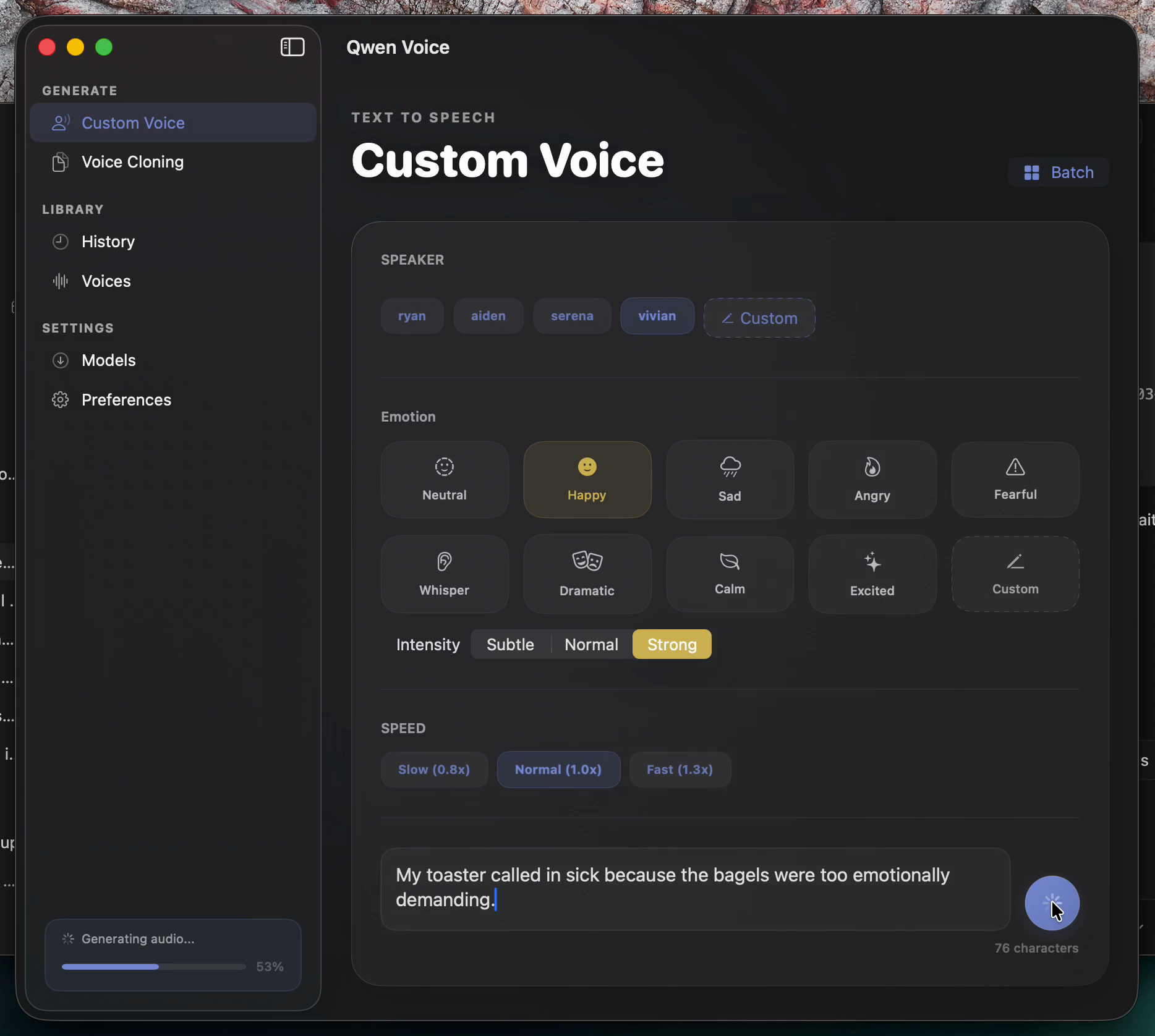
The Custom Voice screen, with speaker chips, an emotion palette, intensity and speed controls, and a script input.
Custom Voice · live preview · running on a MacBook

Three modes

One chrome, three voices.

Custom Voice

A built-in voice, in seconds.

Pick a preset speaker. Type a script. Hear it back, streaming, before you've stopped scrolling.

Four English speakers ship with the app: Ryan, Aiden, Serena, Vivian.

Ryan

Steady, mid-range.

Hey there. Welcome back to the studio.

Aiden

Lower, warmer.

Long-form, considered. Steady tempo, low register.

Serena

Bright, articulate.

Crisp, precise, alert. Like a bell at dawn.

Vivian

Calm, mature.

A patient narrator. Considered, without urgency.

Voice Design

Describe a voice. The model produces it.

Audition, refine, save. Voice Design is a destination of its own, not a parameter panel buried inside another flow.

Saved voices stay in a local library. Open one in Voice Cloning whenever you want to start from it.

Audiobook narrator

A weathered storyteller. Slow tempo, low register.

Sports announcer

Energetic, fast-paced. Calls plays in real time.

ASMR whisper

Intimate and close. Soft consonants, slow breath.

Conference speaker

Confident, warm, articulate. Pauses on key terms.

Voice Cloning

Clone from a short reference clip.

WAV, MP3, AIFF, M4A, FLAC, or OGG. Add a transcript when accuracy matters. Generation runs locally; the reference never leaves the machine.

Reference12s

A short clip of the voice you want.

Generatedyour script

The model speaks your text in that voice. Locally, on your Mac.

Reference formats. WAV · MP3 · AIFF · M4A · FLAC · OGG. Optional transcript improves accuracy.

Only clone voices you own or have permission to use.

Install

From DMG to first voice in four steps.

  1. Download the DMG

    Pull Vocello-macos26.dmg from the latest GitHub release.

  2. Move the app

    Drag Vocello.app to Applications. Open it.

  3. Install a model

    Pick Custom Voice, Voice Design, or Voice Cloning from inside the app. Models stay local.

  4. Generate

    Type, choose a voice, hit generate. Live preview plays as the audio renders.

Under the hood

Local-first, by construction.

A native SwiftUI app shell hosts an MLX-backed engine in an isolated XPC helper. Each generation runs out-of-process, so a heavy job never freezes the UI and a model crash never takes the app with it. The iPhone target uses an engine extension for the same separation on iOS.

Process boundary

SwiftUI app shell

Native macOS UI. Holds the script, the player, the saved voices.

XPC helper

Out-of-process boundary. Crashes here never reach the UI.

MLX engine

Inference on Apple Silicon. Local model weights, GPU + Neural Engine.

Models

8-bit for quality, 4-bit for speed.

  • Custom VoiceQwen3-TTS-12Hz-1.7B-CustomVoice8-bit · 4-bit
  • Voice DesignQwen3-TTS-12Hz-1.7B-VoiceDesign8-bit · 4-bit
  • Voice CloningQwen3-TTS-12Hz-1.7B-Base8-bit · 4-bit

Privacy

Lives on your Mac.

Inference runs locally. Models, prompts, generated audio, and every saved voice sit in your home folder, where Finder can see them.

Generation history is a local SQLite file. There is no account, no credit meter, no telemetry that leaves the machine, no external service handling your text or your audio.

You can delete a voice the same way you delete any other file: open the folder, drag it to the Trash.

Finder
~/Library/Application Support/Vocello/├── models/    // downloaded model weights├── outputs/│   ├── CustomVoice/│   ├── VoiceDesign/│   └── Clones/├── voices/    // your saved voices└── history.sqlite    // every generation, locally

Download Vocello.

macOS 15.0+, Apple Silicon, 8 GB+ RAM.

Signed, notarized, and stapled by the official build pipeline.

Testing an older unsigned build?

Local debug or pre-release artifacts may still carry quarantine. Clear it from Terminal:

xattr -cr "/Applications/Vocello.app"